Xrev API Tools: Increase Productivity!

Feeds

Loading...

Thursday, December 16, 2010

Roombook Extension for Revit 2011 Available

There is a new extension available from the Autodesk Subscription Centre website for particular locations.  The extension was originally developed for the German market, but has now been modified for wider international use.

Below is some information off the subscription site:


  • The program calculates the surfaces of walls, floors and ceilings as well as room circumference and furnishing elements on a per-room basis and in total. 
  • The calculation of each surface is made transparent by detailed listing of all sub areas. 
  • Apart from automatic detection of elements and sub areas, it is also possible to add further elements manually. Additionally, it is possible to illustrate situations with no constructive equivalent in the project, by numerical definition or graphical selection of detail or model lines (use case: tile panels). It is also possible to define a wall height reduction on a per-room basis, in order to calculate the material requirements in case of reflected ceilings. 
  • All sub areas can be modified manually, including materials. This allows to handle exceptions to the rule and special situations. 
  • Surface material types contain material definitions for walls, slabs, ceilings and room circumference, which are typically assigned to particular rooms (Example: Bathroom, Habitable Room Carpet etc.) This allows to assign surface materials to rooms with one click. 
  • The calculated quantities can be exported in a clear and detailed Excel form, separated in 
  1. Wall surfaces (including inner reveals, and window area per room in the Excel survey) 
  2. Floor surfaces (including threshold areas)
  3. Ceiling surfaces
  4. Room circumference 
  5. Furnishing elements and a survey which lists face to face all quantities per room and in total. 
  • Material requirements are listed per room and in total.  
  • Additionally is supported the export to a dwf-file which later can be opened and edited further in Autodesk Quantity Takeoff (QTO), as well as a CSV output


Find out more here:
Autodesk Subscription Centre

Friday, November 05, 2010

Collaborative Modeling with Revit Worksharing and Bluestreak

For those needing to communicate between offices and work on single models. Use Revit server coupled with Autodesk Bluestreak.

Now all we need is a multi-discipline solution to control those pesky architects moving structural elements or vice versa. (we've got one in the works...)


Saturday, October 09, 2010

Xrev Revit API Tools

Great News!

Our new Xrev website goes live next week.

www.xrev.com.au

it will also be accessible from www.cadway.com.au

Checkout Xrev Transmit! Our Revit issuing tool to take the pain out of issuing drawings whether it be hard copies, digital copies or both, as well as managing your transmittals... LEVERAGE ALL THAT INFORMATION IN YOUR REVIT MODEL for generating the transmittal rather than having to reproduce it in your file names and transmittal documents...

Soon to follow are:

Xrev Sheets
Xrev Transmit PRO

Making a completely parametric mobile crane - Final

Hi Everyone,

Again, sincere apologies for the delay in updates.  Please watch the below 3 videos for the final explanation of how I went about making this family.  Comments always welcome and any recommendations for what people what me to show next.

Cheers.


Thursday, September 30, 2010

Revit 2011 - Subscription Advantage Pack Released

If you haven't already, download the Revit 2011 Subscription Advantage Pack to get Revit Model Server & Conceptual Energy Analysis tools.


Finally a tool for teams that are spread across multiple offices...

NOTE: You must have a valid Subscription to do this and be logged into the Autodesk Subscription Centre.

http://subscription.autodesk.com/

Thursday, July 22, 2010

Revit 2011 - Creating a Parametric Shade Sail using Adaptive Components

In this video I'll demonstrate how something can be easily made very parametric using adaptive components for a tension structure such as a shade sail.

Why can't I see this element??!

Arggh, there is nothing worse than trying to find why an element isn't visible in a view, so many different potential causes that need to be checked.  I thought I'd put a little bit of a checklist together:

  1. Is the view "Discipline" set correctly?  For example if your view is accidentally or purposelly set to Structural the wall may not be showing because its non-bearing...
  2. Is the view range set correctly to see the particular element?  I'll often switch to my 3D view and orientate it to match the view, if I can't see it in the 3D view its most likely a view range issue.
  3. Is the element in the correct phase and is an appropriate phase filter set in the view to make it visible.  Maybe someone set it in a future phase?
  4. Can you see the element by enabling "Reveal Hidden Elements"?  If so, select it and select unhide element or unhide category.  Try not to use the Override element or hide in view options...
  5. Is the element in a worset that isn't open or turned on in the view?
  6. Is there a filter applied to the view that is causing the element to be hidden?
  7. Has someone used the linework tool on the element?
  8. If its a family, is the detail level of the view set correctly?  Sometimes families are set not to show at Coarse.
  9. If its a family, has someone selected the geometry of the element not to show in plan, section/elevation as the case maybe?
  10. Maybe the view has been created as a detail view?  By default certain categories aren't visible in a detail view...  As such change to a standard section.
  11. Is the element part of a design option and perhaps that isn't the current option for that particular view?
  12. Is there a plan region in the view that is adjust the view range settings incorrectly for the area in question?
  13. If its a datum, is the 3d extents of the datum intersecting the view?
  14. If its a section/elevation marker, check the "hide at scales coarser than" parameter to ensure its set appropriately to show.
  15. Is it part of a linked revit or dwg file?  Ensure that the link is loaded...
I think there are a few more, but that's all i can think of off the top of my head.  Feel free to post comments of any additional ones you think of and I'll add them.

Cheers!

I know this can do my head in sometimes!

Wednesday, July 21, 2010

Revit Sheet Management & Issuing Painful?

Who finds editing sheet/titleblock information tedious and slow?

What about adding consultant sheets and mass sheet lists into your project one at a time, what a pain...

Not to mention the issue process of exporting DWG, DWF/PDF, Hard Copies, file naming, uploading to online systems such as Team Binder/Aconex/IrisProjectMinder etc.  Prone to human error and so repetitious!

Filling out transmittals/repeating data entry multiple times, yuk...

Certainly don't want to have to manage tonnes of shared parameters and a difficult setup process!

Need a simple solution that's easy to use?

Well very soon we will be releasing our first amazing Revit enhancement bound to drastrically improve your productivity and sanity!

Stay tuned!

PS.  Post any special requests and we'll see what we can do :)  Also, add this blog to your Revit communication centre by using this RSS feed:  http://blog.cadway.com.au/feeds/posts/default

Monday, July 12, 2010

Making a completely parametric mobile crane - Overview

This video runs through the introduction and overview of how the family is setup.  If there are specific topics you'd like me to address in more detail please comment.

Friday, July 02, 2010

Making a completely parametric mobile crane

Throughout July I will be posting a series of videos demonstrating how I went about making this 150T parametric mobile crane.

The crane has:
  • Adjustable materials
  • Adjustable rotation
  • Adjustable extension
  • Adjustable support extensions
  • Adjustable boom angle
  • Adjustable cable drop/automatically stays perpendicular to the ground.
We will look at how we can add jigs, rules to stop the crane overextending/tipping.  I am interesting in any crane experts posting limitations they'd want to impose as I'm going on very limited knowledge of cranes so the values I use may not be correct, but the principles will be the same.

Tuesday, May 11, 2010

Revit Hatch Patterns (Hatch Kit)

Firstly apologies for my slackness in regular posts...
This question has come up a lot, and its how do I make custom hatch patterns for Revit?
Typically I'll recommend using Cadro's Hatchkit.

However, I recommend a different workflow to using hatchkit directly as the editor. I like to use the import DXF feature.
  1. Begin by starting up Revit.
  2. Start a new project.
  3. Start a drafting view, set the scale to 1:1 for a drafting pattern or 1:100 or similar for a model pattern.
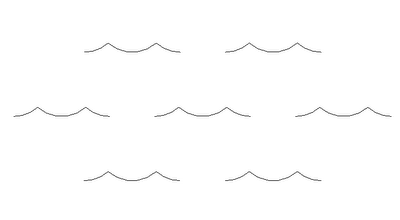
  4. Now using solid detail lines draw the pattern you'd like to create at the scale you require it. In my example I'm trying to create a water surface pattern (some waves).
  5. Next we need to outline a box/tile that if repeated would create a clean pattern and break our linework here.
  6. Then delete the excess linework. (leave the box there as this helps to define the size of the tile)
  7. Export to 2004 DXF format.
  8. Start HatchKit
  9. Go to File-->Import (change files of type to DXF entities) Find you file and import
  10. Now we just need to delete the box that we drew. Select each of them by clicking on the white box and delete. You actually end up deleting 6 lines...
  11. Finally add a name/description/comment then save as a Revit Model or Drafting pattern as required.
  12. Its now ready to be imported and used in Revit!

Wednesday, September 30, 2009

KAUST: Breakwater Beacon Inauguration

After 4 months of documentation and modelling, and finally construction, the Breakwater Beacon is finished.


Designed by Daniel Tobin & Jamie Perrow of Urban Art Projects and the Plaza by Liam Proberts of Fairweather Proberts, Cadway and specifically myself, were given the difficult tasks of taking the complex design and producing accurate and complete documentation in order to realise this design.


Working with the Structural Engineers, Robert Bird Group - Lance Barton, strict construction tolerances were given that were part of the design constraints.


I then took these design constraints and constructed a highly robust Revit Family with over 70 parameters and numerous complex formulas (conditional statements, trigonometry and algebra). By creating parameters and using the API to calculate the true lengths of the edges of the hexagonal rings we were able to automate a lot of the shop drawing creation for the precast concrete elements. Within Revit we were able to directly and automatically extract weights and volumes to supply to the Structural Engineer for calculation.

Unfortunately, it wasn't all straight forward. Early in the design process I had to go through a number of iterations of my family whilst the construction technique was established. That is, which sections were Precast Concrete and which sections with Cast in-situ. The main issue being that the cast in-situ was a different colour to the precast concrete which wasn't a desired architectural outcome.

From there the Lighting Designers, Norman Disney and Young became involved and we worked with them to set out recessed lighting locations directly in the precast pieces themselves and documented their exact locations.

The Structural Engineers calculated 3 lifting points for each piece that simplified the lifting process so the natural centroid of the piece was already correct when lifted by the crane and lowered into position.

From here it was a process of placing all the individual hexagons and adjusting their many parameters to suit the concept design. As we were using Revit, as we placed the elements more and more of the documentation was also being completed. We were given tolerances for the spacing of the pieces to work with and then for every piece we supplied 12 coordinates to locate the precast members onsite (6 vertices internally and externally). Every single piece was different in shape and the internal faces of the precast members were completely faceted so the Revit family had to completely triangulate the faces.

Finally once all these pieces were placed, we then had to specifically model up the 4 different entrance frames which also had a steel framed core. We supplied the centroid points of the void spaces to the structural engineer and produced shop drawings for the many segments that then framed the doorways.


The final stage to be completed is the entire plaza level which should now be well underconstruction to immitate the Giants Causeway.

If anyone has any questions please don't hesitate to post a comment. I hope some find this information useful or interesting.

Thursday, July 02, 2009

Customized Revit Families - Revit Content

Although I haven't downloaded this content, it looks to be fairly good quality if it all works as advertised. Although for some items they are overmodelling which may potentially cause issues on larger projects with the amount of detail that is being shown. One would hope they have set the models correctly with coarse, medium and fine displays and that the individual family sizes don't exceed 1MB each.

See for yourself.


We create your customized Revit Families - Welcome to Revit Content

Shared via AddThis

Monday, May 25, 2009

Conceptual Mass - Defining Area to control width & length automatically

In this quick tutorial I've taken a request from Ry on linkedin to produce a rectangular mass family where you can set the area, then use grips to change the length and width whilst still maintaining the required area.

Thursday, May 14, 2009

Conceptual Mass (2010) - Octagon Panels & Mitring

This is just a simple little tutorial that talks about how to get your edges to cleanup without a gap for both sides of your panel. I hope someone finds it useful.


Due to some issues with Blogger this took a while to get online...

Thursday, April 16, 2009

Revit Elevation/Section View Depth Clipping workaround

Hello readers,

This is another one of those workarounds that I've been doing for a while and wasn't aware that a lot of people didn't know of it. Its a very quick method to creating depth in your elevations/sections without adding masses, using the linework tool, or utilising shadows. (although in Revit 2010, with directx turned on printing of views with shadows has improved exponentially!).


This is my first attempt at uploading a video so please let me know if people have any difficulties viewing. It has been encoded using the Techsmith codec. TSCC in AVI format.

Thursday, March 26, 2009

Autodesk release 2010 Product Line Up

Autodesk today started shipping there 2010 product lineup.

http://store.autodesk.com/store/adsk/DisplayHomePage

Revit 2010 introduces:

New User Interface (ribbon) - which from my experience is a better implementation than most other platforms that have implemented the ribbon.

Conceptual Modelling tools - A complete redesign for the conceptual design modelling tools enabling nearly any form to now be modelled directly in Revit. You are no longer confined by blend, extrusion, sweep, revolve and swept blend. Instead simply draw the various components that would make the shape, select them and then hit create form/void... You still need to be aware of intersecting geometry as this will result in the "unable to create..." error that is typical in Revit. Furthermore with this tool you can apply complex patterns to them based on a UV breakup of the surface. And the very cool feature is this can all be controlled via the API to generate some amazing mathematically driven patterns for surfaces. Checkout Guy's blog for some examples shortly.

Performance Enhancements - 2010 ditches Open Gl for Direct 3D as well as being native x86/x64 with some minor multi-threading tasks now implemented (no longer two separate installs). Graphically 3D navigation is much faster that 2010 and should be a welcome addition for most offices. Also, anti-aliasing of 3D views means linework is going to be much smoother rather than stepped as well as being able to turn on gradient backgrounds for a little more effect to your perspective and orthogonal views.

Minor Drafting Tool inclusions - You can now control the underlay linetype on a system wide setting as well as halftones. Also a new tool called Spot Slope which can indicate the slope of a surface that its placed on (similar to a spot co-ordinate or spot elevation). Unfortunately it doesn't work with Ramps as they still require fixing... Be careful when tagging roof pitches in elevations to use your tab key as you may inadvertently tag the ridge line instead of the true perpendicular fall meaning you'll get a different value than expected.

Interoperability - Bi-directional communication with Civil 3D via the adsk format, the ability to import adsk files from Inventor for family creation (things like connectors are transferred as well as all the product information) - hopefully this will assist with some accurate content becoming available soon. Exporting to gbXML has also been improved with a full graphical review of the export and analysis now available prior to export to iron out any issues before hand.

Let downs:
  • There are most likely going to be a number of bugs in the initial release so it may be worth waiting for WU1.
  • No notable bug fixes.
  • Not many drafting tool enhancements and no text enhancements.
  • Great release for those doing landmark buildings, others may find the release light on features...

Thursday, March 05, 2009

Building Information Modelling Asia 2009

I've recently returned from a conference on BIM in Singapore. Apart from an injury I received on the flight home I considered it to be a very worthwhile event.

There were key speakers from Developers, representatives of BuildingSMART, Tekla, Autodesk, Gehry Technologies as well as numerous others.

I guess the biggest thing I got out of it was that Revit isn't the centre of the universe! BIM can still work equally as well even if a number of the disciplines are using difference platforms. Yes if everyone is utilising the same platform such as Revit it can somewhat automate some of the more mundane co-ordination tasks - but it is not pivotal to a successful BIM. There were quite a few quoin phrases thrown about such as "Big BIM", "Little BIM" and "Integrated Project Delivery (IPD)" but only the latter had any real significance. Big BIM and Little BIM seemed to me to be a cop out to being able to say "this was a complete BIM project" when BIM was only partly implemented.

IPD refers to the involvement of all the Owners, consultants and Architects right at the conception of the BIM to establish project deliverables, specific outcomes and results to ensure the project is developed in such a way as to automate and produce these outcomes with minimal effort. It also involves the entire team communicating at equal levels in a Project Documentation/Design/Analysis Utopia all operating for the sole purpose of whatever will best benefit the project. Rather than, "its not my job"...

Over the next few weeks I plan to compile and develop a spreadsheet of BIM capable software for all stages of a building lifcycle including FM, that identifies the best way's for each of them to communicate with each other with regards to file types, formatting and setup for various uses that maximises data integrity through the life of the project. I welcome people to post their findings and designs for best interoperability methods with the various other packages as well as most applicable software to co-ordinate it all. Personally, we are going down the Navisworks road...

If anyone also has any questions specifically about the conference please ask as I will be more than happy to elaborate on any of the subjects if people are interested.

Thursday, July 10, 2008

Revit Rendering Fundamentals

Here is a link to the other presentation I did:

Apologies this file is rather large due to all the embedded images (37MB approx.)

Again, I love to hear feedback both good and bad. It gives me incentive to keep updating this page...

EDIT: Webserver no longer allows me to have files this large. Please see link to PDF.

Friday, July 04, 2008

Families the Basics - including management

Well its about time I updated my blog. For those that couldn't attend the recent Revit Technology Conference I thought I would post links to my powerpoints should you wish to check them out.


This is the talk I did about Families.


Generally it investigates how to setup standards in your office in order to maintain control of your library and develop consistency as well as maximum functionality.

Unfortunately our webserver no longer allows me to post these large files. Please use this link to PDF.


It then looks at some of the basics of family creation of which I then did some live demo's. If enough people post interest, I'll upload a video screen capture of this... :-)